Let's face it: we all have a lot of photos. You probably have tons of great pictures on your phone, in cloud albums, or saved from events, shoots, and product drops.
The problem? People don't always pay much attention to still images. In a world where video content rules, pictures often get left behind.
But what if you could turn those pictures into viral videos that stop people in their tracks with just a few clicks?
That's where tools like Pippit come in. And no, you don't need editing skills or expensive software. Pippit's image to video generator is an AI-powered tool that can turn your photos into moving, eye-catching videos in just a few minutes. These videos are perfect for storytelling, marketing, or social media.
Let's break down how it works - for small businesses, content creators, or anyone who wants to level up their visuals.
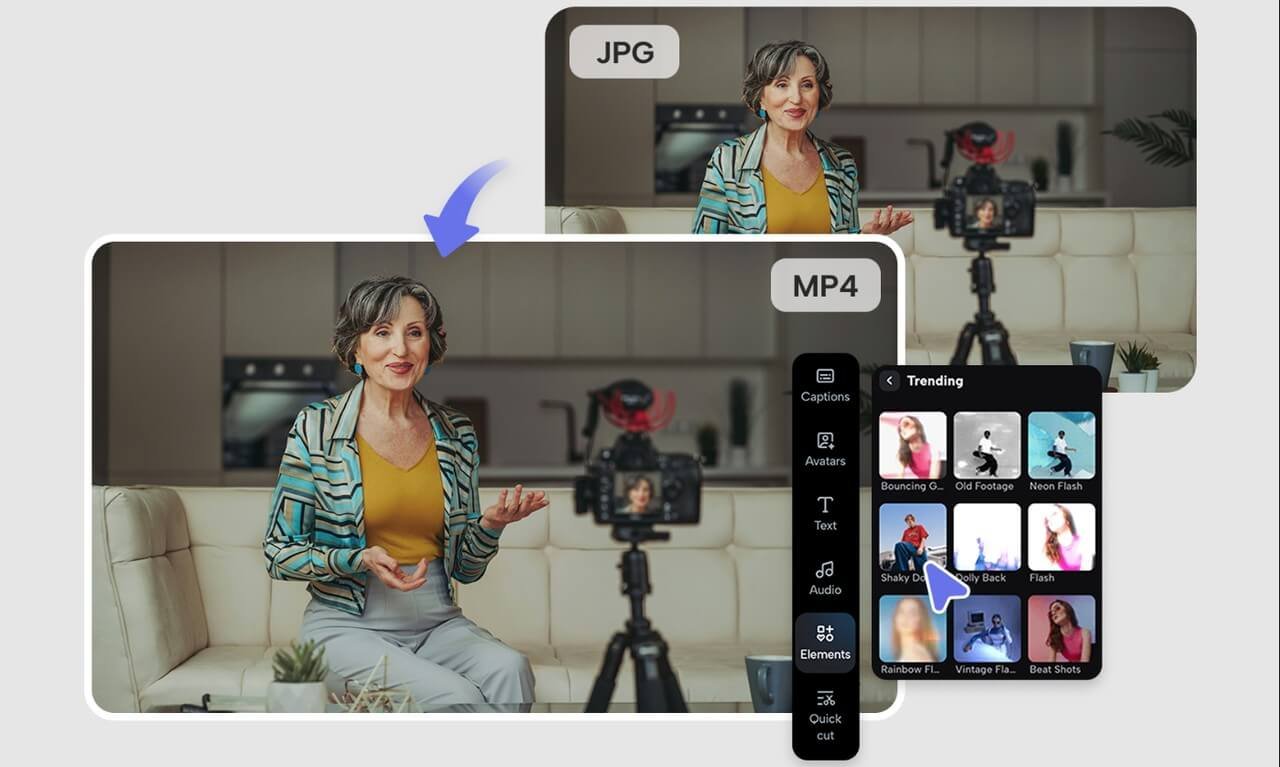
Moving photos are the new way to get noticed
Everyone knows the algorithm favors video. People love Reels, TikToks, and Shorts the most. But most of us have folders full of great images that never get used to their full potential.
That's where AI tools like Pippit come in. Upload your pictures, and Pippit turns them into cinematic reels - complete with music, avatars, text overlays, and effects that stop the scroll. No editing software needed.
You don't need a video editor, a video cutter, or complicated timelines. Just drag, drop, and let the AI handle the rest.
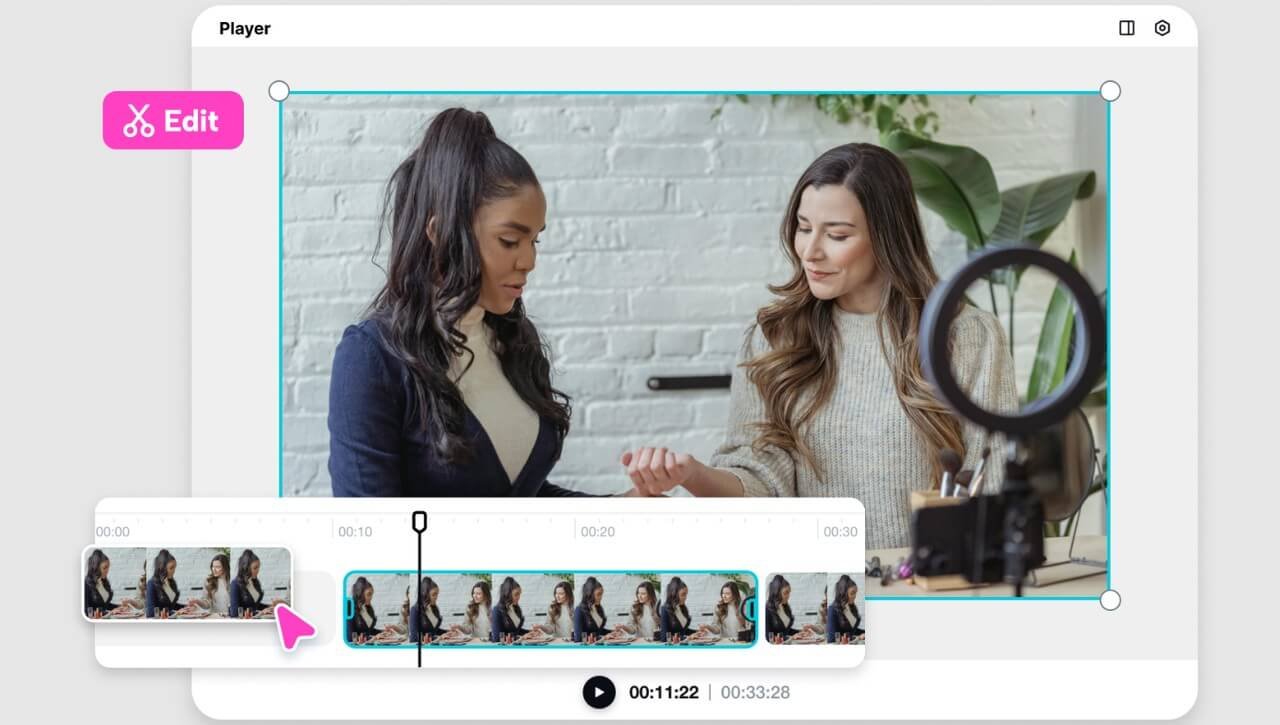
Not just any videos - videos that actually connect
Anyone can throw together a photo slideshow. But what makes a video go viral is the story it tells, the pacing, the sound, and the overall vibe. That's where AI really shines.
Pippit's image to video tool is not only automated. It's smart. It highlights product details, selects attention-grabbing images, and matches your content's tone - whether you're promoting a launch, sharing an event, or capturing a personal moment.
How to make reels from photos with Pippit
Here's how to turn static images into scroll-stopping videos:
Step 1: Upload your photos
Sign up or log in to Pippit and head to the "Video generator" tab. Click "Add media" to upload photos from your device, cloud storage, or paste a product/page URL. Click "Generate" and let the AI find the visuals and start building your video.
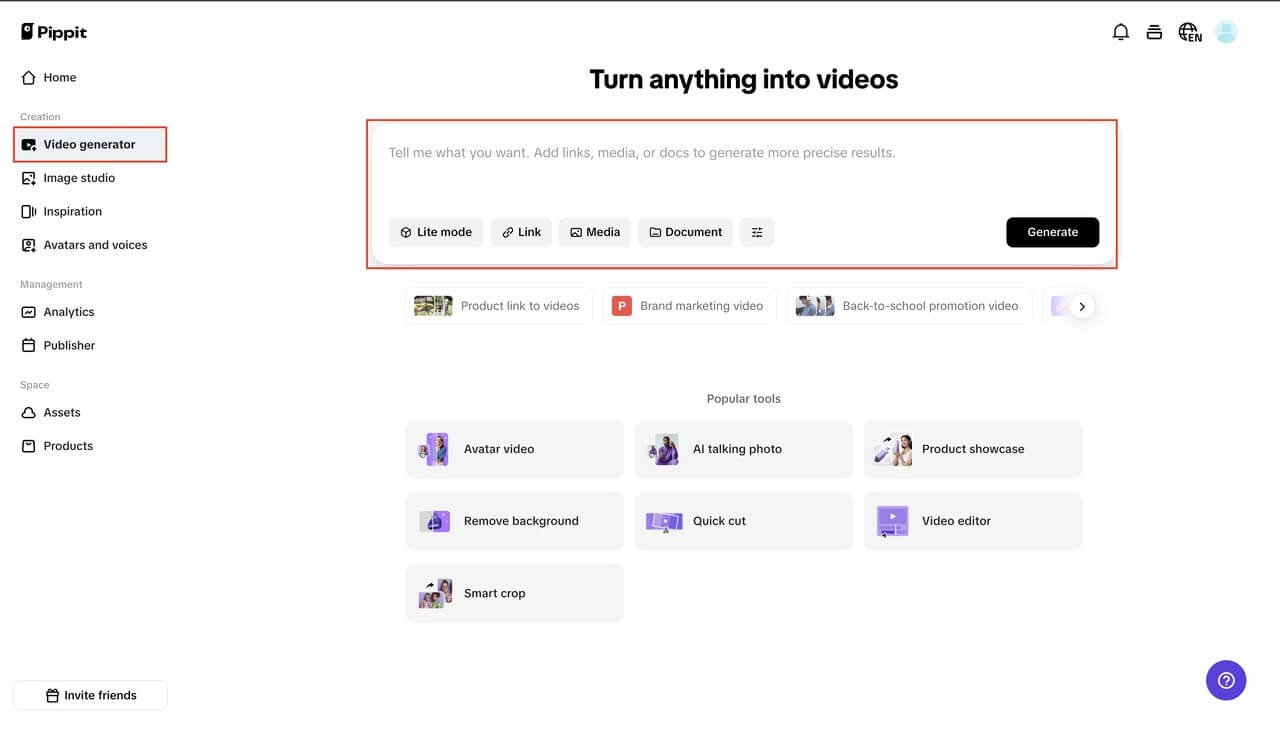
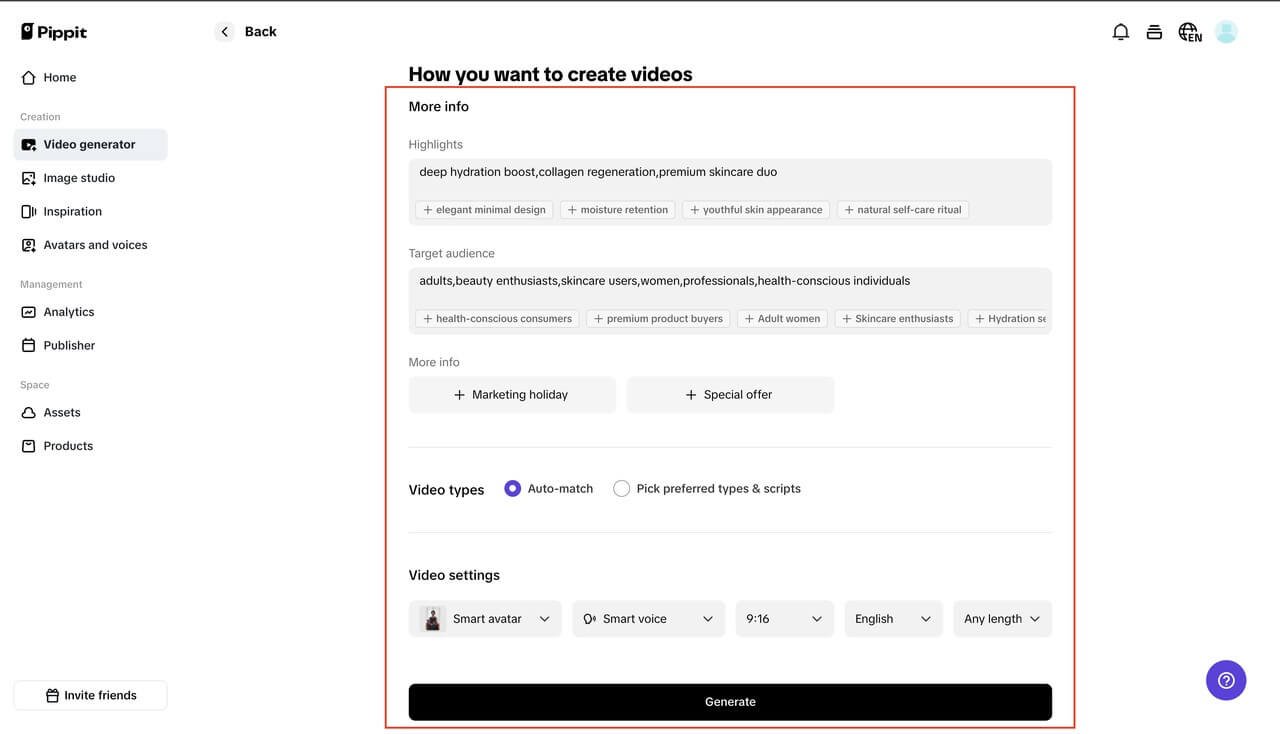
Step 2: Customize and generate
Pippit provides a preview with auto-selected clips and key moments. Want to make changes? Tweak the voice, captions, AI avatar, and images. You can also choose your video's language, duration, and aspect ratio—ideal for Reels or Stories. Click "Generate" to create your custom video.
Step 3: Export the video
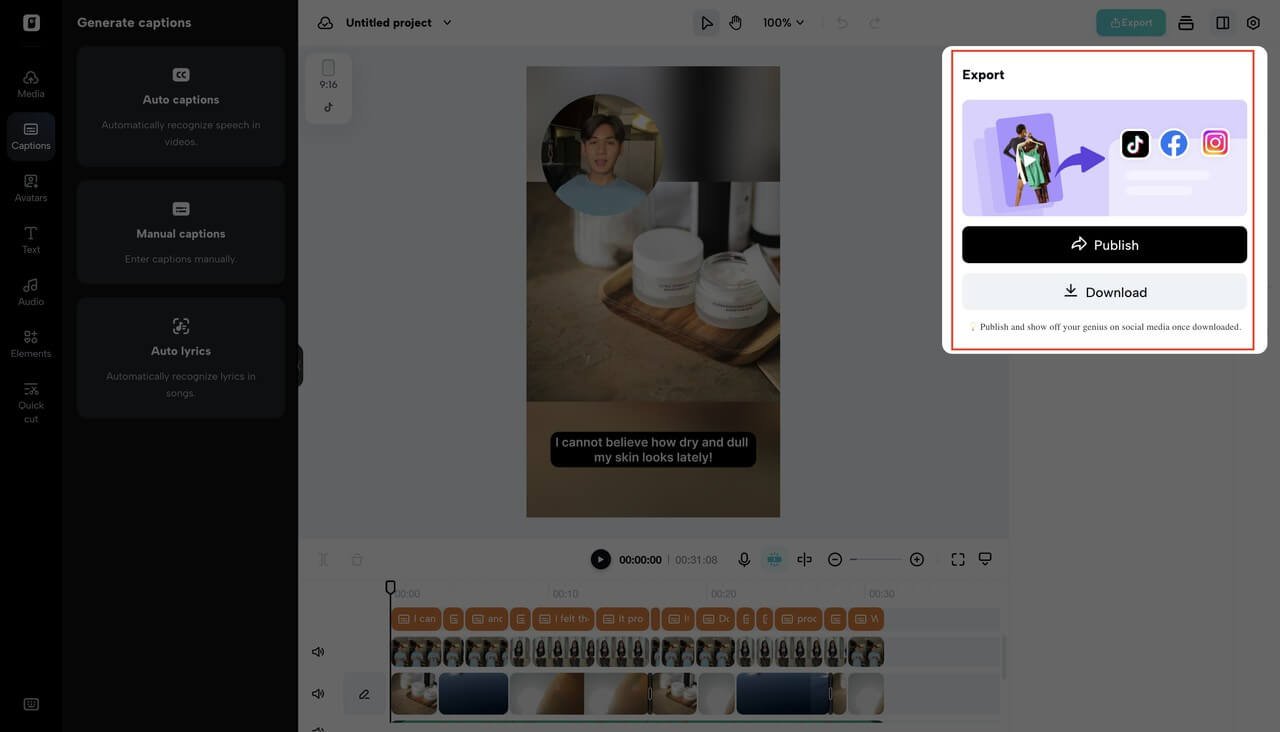
If your preview looks good, use "Quick edit" for small last-minute tweaks. Want more control? Click "Edit more" for advanced adjustments. Once ready, hit "Export" to download your high-resolution video, ready to share across platforms.
Why this tool works for businesses, marketers, and creators
You're busy. You don't have hours to edit—or the budget to outsource. And honestly, not every project needs a full production team. Sometimes, you just need to move fast and still look great.
That's where Pippit's image to video tool stands out. Whether you're:
- Promoting a new product
- Recapping an event
- Telling your brand story
- Sharing client results
- Posting a throwback
You can create branded, professional-quality content without starting from scratch.
Voiceovers, music, captions, avatars, and more are all built in - so there's no need to juggle between apps or learn editing software.
Make every picture work harder - especially for social media
One static photo might get a few likes. But turn that same image into a 15-second video with music and motion, and now you've got engagement.
These AI-generated videos perform well because they:
- Tell a story - not just show a picture
- Add energy through sound and motion
- Are platform-ready (Reels, TikTok, Shorts, etc.)
- Are super quick to make - go from idea to post in under 10 minutes
Have a bunch of product images from a shoot? Upload them all to Pippit and create multiple video formats - perfect for scheduling, ads, and organic posts.
Want to try something different? Reverse it.
Pippit's built-in video reverser is a fun way to make your content stand out. Reverse motion clips add unique visual effects and make even old footage feel fresh again.
For example, watching a product unbox in reverse can be oddly satisfying. Or you could reverse a series of event photos to give your video a nostalgic feel.
It's these small touches that keep people watching and give your content a polished, high-quality feel.
Your next viral video is already in your phone
You don't need to film new videos to go viral. You already have what you need: photos, ideas, and a story to tell.
With Pippit's image to video tool, you can turn your existing content into exactly what people want to watch - short, smart, high-quality videos that stand out in a crowded feed.
So don't let those amazing pictures collect digital dust. Use them to relive events, showcase products, or bring everyday moments to life.
Ready to create your next viral video? Bring your photos to life in just a few clicks with Pippit's image to video tool.
Acompanhe mais notícias em Alagoasweb.com